
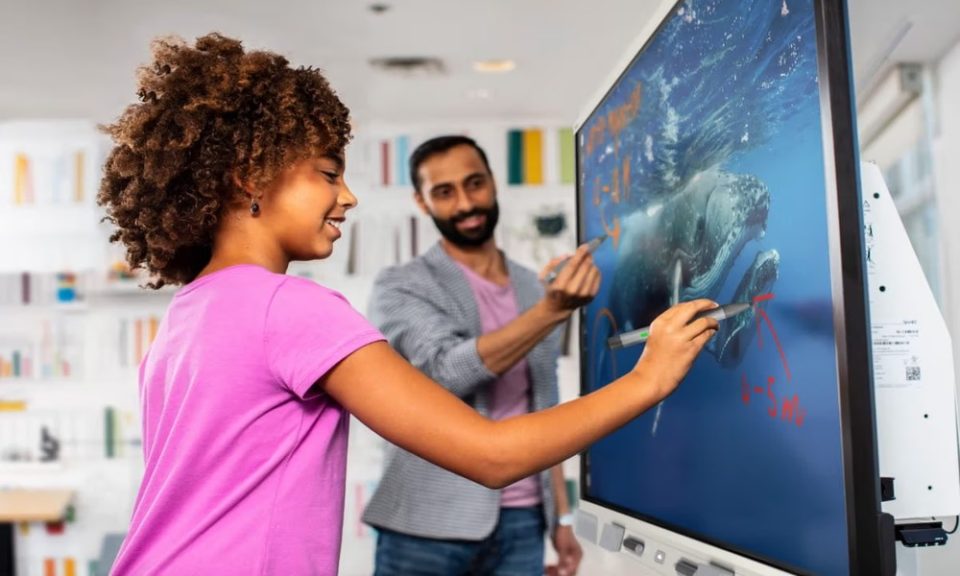
The busy work environment today needs a tool that makes the team productive. The team needs tools that improve their communication and efficiency. An interactive smart board for office use became a practical solution for modern workplaces that rely on collaboration and digital workflows.
Interactive smartboard
The interactive smartboard has combined features in one device. The features meant here are:
- display technology
- touch interaction
- software integration
Employees can use one tool for:
- presentations
- meetings
- brainstorming
Everyone works on a single screen in real-time input.
Team collaboration
Multiple users use an interactive smartboard to work on a content in the same tool, such as:
- writing
- drawing
- editing
Meetings are more productive compared to:
- traditional whiteboards
- static presentations
For example:
The employees can add ideas on the board on a team brainstorming session. The downtime is reduced and keeps discussions active.
Having better collaboration can lead to more effective teamwork.
Seamless presentation and sharing
Presenting ideas is easy with a smart board. Users can connect to different devices, such as:
- laptops
- tablets
- cloud accounts
Users can display their content instantly through their devices. There is no need for complicated setups or switching devices.
Presenters using an interactive smartboard in the office can:
- annotate slides
- highlight key points
- saves notes directly
Teams can focus on content with simplified presentations.
Real-time editing and saving
Users can edit documents in real-time in the interactive smartboard. The changes made are instantly visible to everyone in the room. It eliminates rewriting notes after meetings. The files can be saved and shared instantly with participants.
The real-time updates reduce errors. It ensures everyone is aligned.
Integration with office software
Interactive smartboards are compatible with common office tools, such as:
- document editors
- spreadsheets
- video conferencing platforms
It makes them a central hub for daily operations.
Teams can conduct:
- virtual meetings
- edit files
- present data
The integration improves workflow efficiency and reduces task interruptions.
Enhanced training and demonstrations
The smart boards are highly effective for employee training sessions. The trainers can perform tasks in real-time, such as:
- display materials
- write notes
- interact with content
For example:
A trainer explaining software usage demonstrates steps directly on the board while answering questions. It makes learning more interactive.
An interactive training improves the following:
- knowledge retention
- engagement
Space and cost efficiency
Companies can use a single smartboard system, instead of investing in multiple tools like:
- projectors
- whiteboards
- monitors
The interactive smartboard will:
- reduce equipment clutter
- maintenance costs
Businesses can save space and manage costs in a single device solution.
FAQs
What is an interactive smart board?
An interactive smartboard lets users interact with content using:
- touch
- stylus
- connected devices
Can it be connected to other devices?
Yes. The smart board supports connections to different devices, such as:
Is the interactive smartboard suitable for small offices?
Yes. Small teams and large organizations can benefit from the intuitive tool by improving communication.
Does it require special training?
The basic functions are user-friendly. Most employees learn quickly with minimal guidance.
Are the meetings possible to record?
Users can save or export meeting notes and presentations for later use.
An interactive smartboard offers a practical upgrade in modern offices by integrating collaboration and presentation.
